How to run a brand deal from first email to final deliverable
For creators
A brand deal rarely lives in one place. The pitch is in your inbox, the contract is a PDF in a reply, the dates are in a spreadsheet, and whose turn it is lives in your head.
Sponsivo brings all of that together, starting from the Gmail you already use. Here’s how one sponsorship runs through it, step by step. All the screens use sample data.
At a glance
- Sponsor emails become deals automatically, and later emails join the same deal.
- Each deal opens as one workspace with the email thread, terms, files and notes.
- Files reach the deal whichever email they arrive in.
- Every deliverable has dated steps and shows whose turn it is.
- Sponsivo drafts replies and follow-ups, and nothing is sent until you approve it.
Find the deals in your inbox
You start with the inbox you already have. Sponsivo does the sorting and the setup.
1. Connect your Gmail
Sign in and connect Gmail. You keep the same address, and brands keep emailing you as usual.
2. Let your inbox sort itself
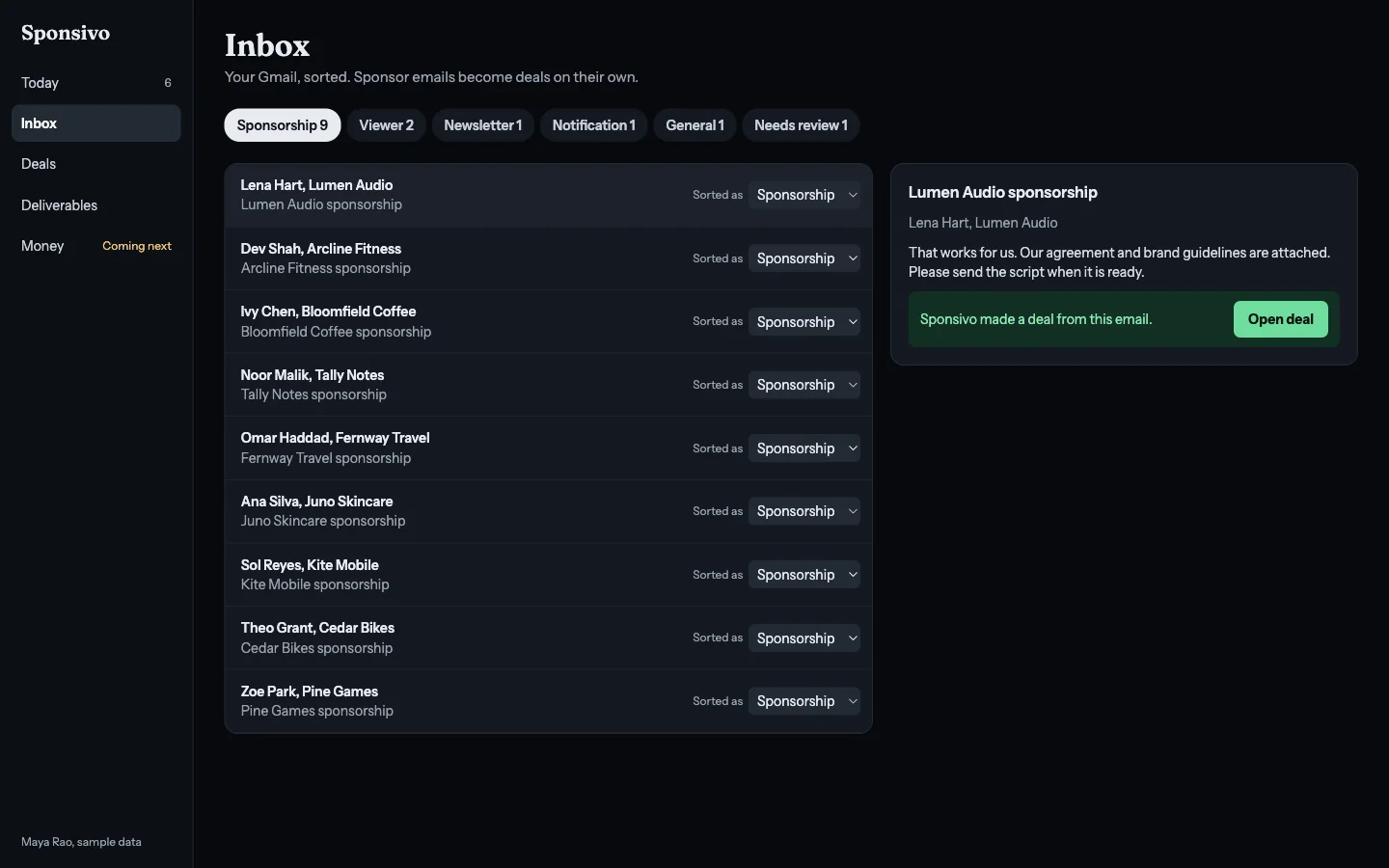
Each email is sorted as sponsorship, viewer mail, newsletter, notification or general. If Sponsivo is unsure, it marks the email for your review. You can change any category yourself.
3. See each pitch become a deal
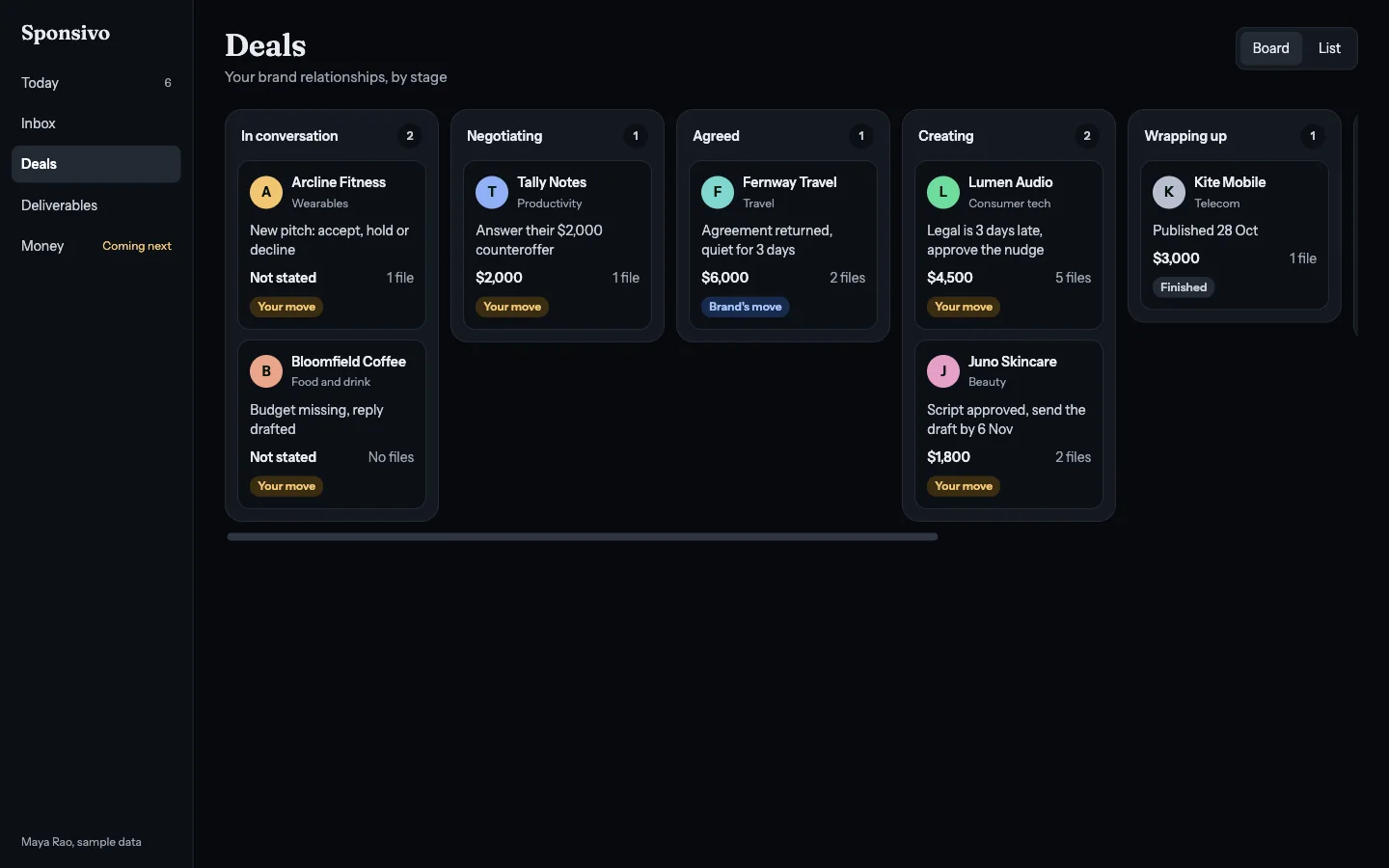
A sponsor email creates a deal with no data entry, and later emails in the conversation attach to it. Your board shows every deal by stage, including the ones on hold or gone quiet.
Decide what’s worth your time
Before you commit, you can see the terms of the offer in one place.
4. See the terms of the offer
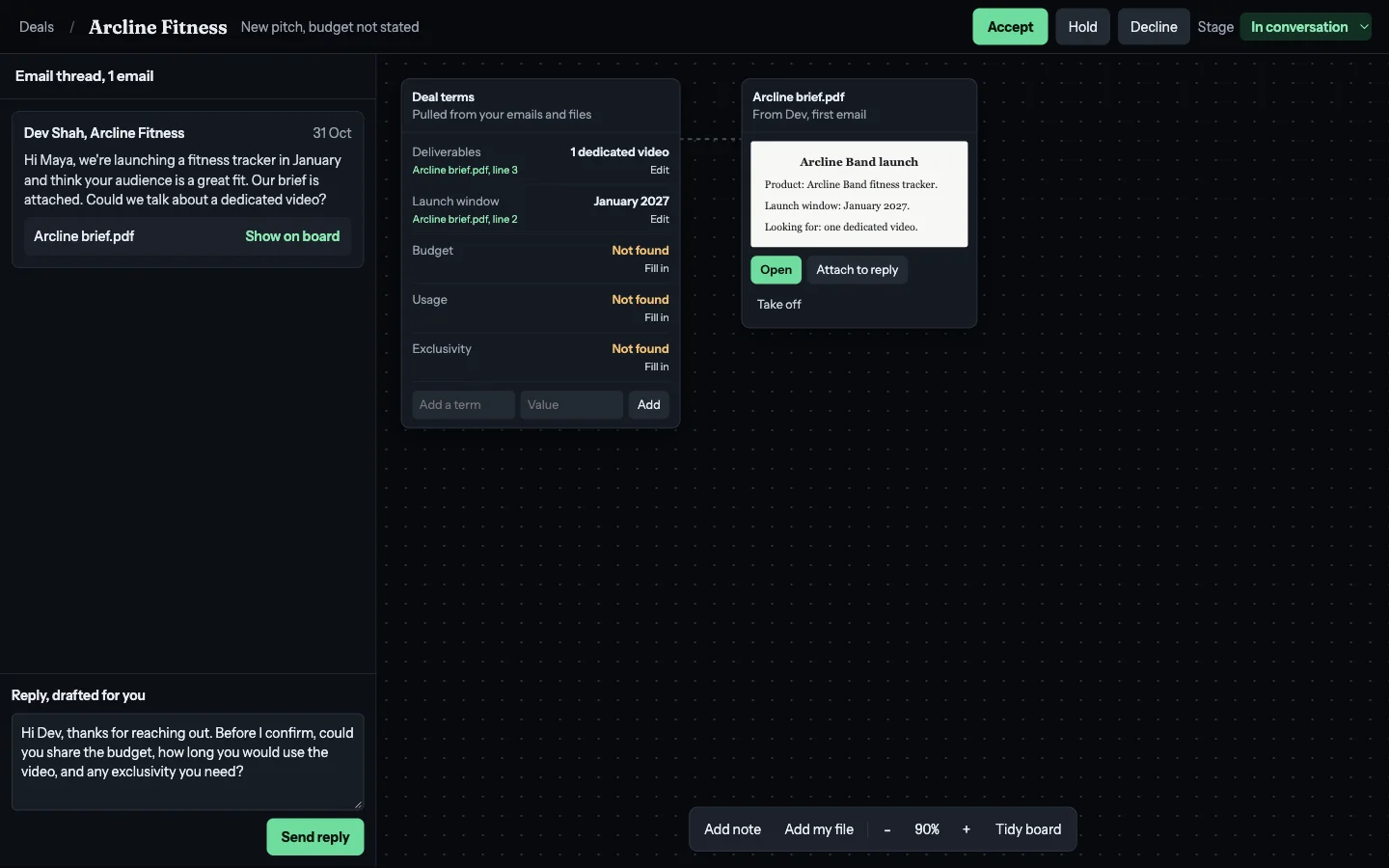
Sponsivo checks each pitch against a list of common deal terms, like budget, deliverables, dates, usage rights and exclusivity. Terms it finds are filled in for you.
Terms it doesn’t find are marked “Not found”. You can fill them in by hand, or send the drafted reply asking the brand.
5. Accept, hold or decline
With the details in one place, you make the call. If you put a deal on hold, Sponsivo reminds you to come back to it.
6. Negotiate from the deal
The whole thread stays in view while you negotiate. Sponsivo drafts each reply, and you decide what to say and when to send it.
Keep the paperwork on one board
Opening a deal gives you one workspace for everything about it.
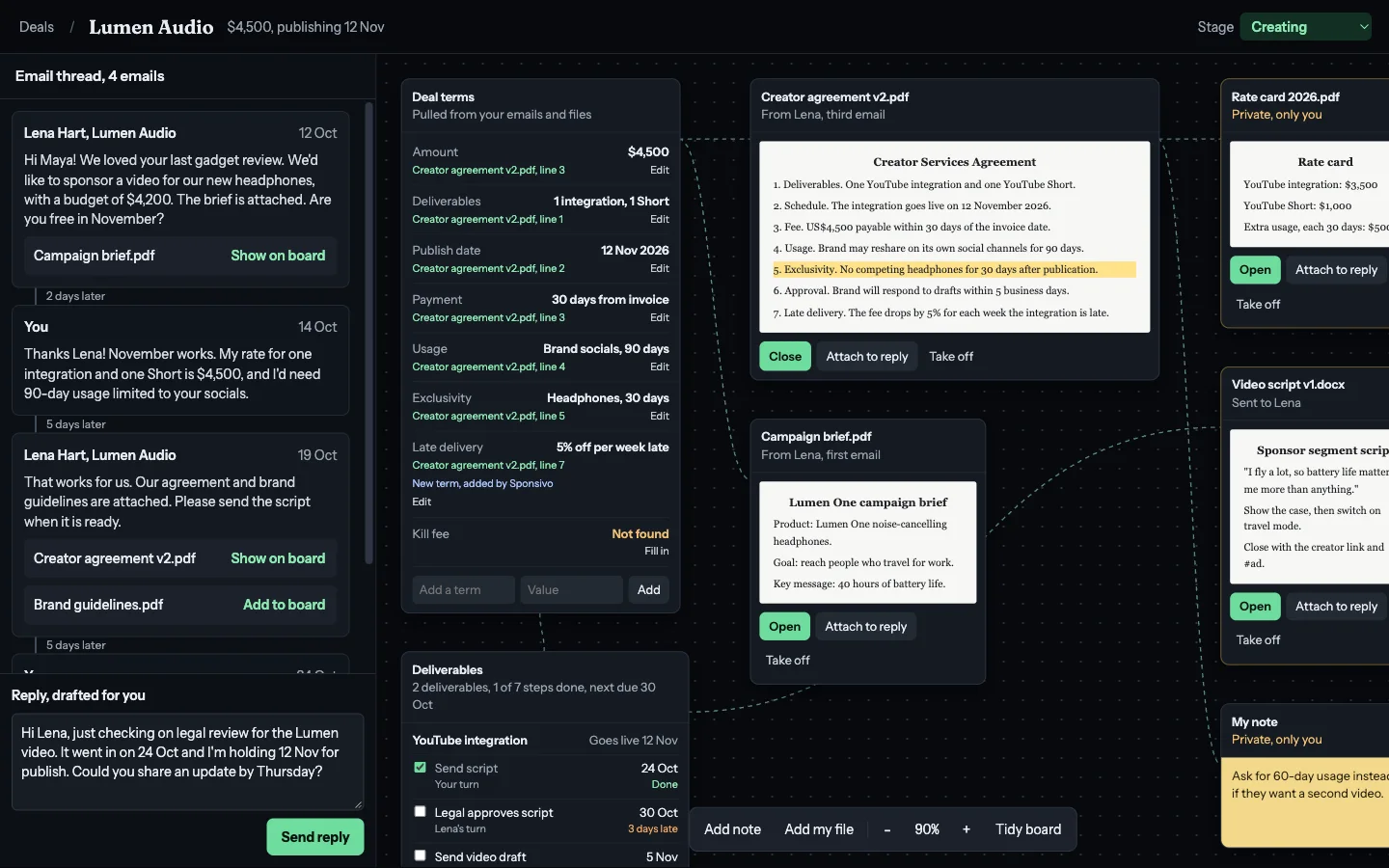
7. Work from the deal canvas
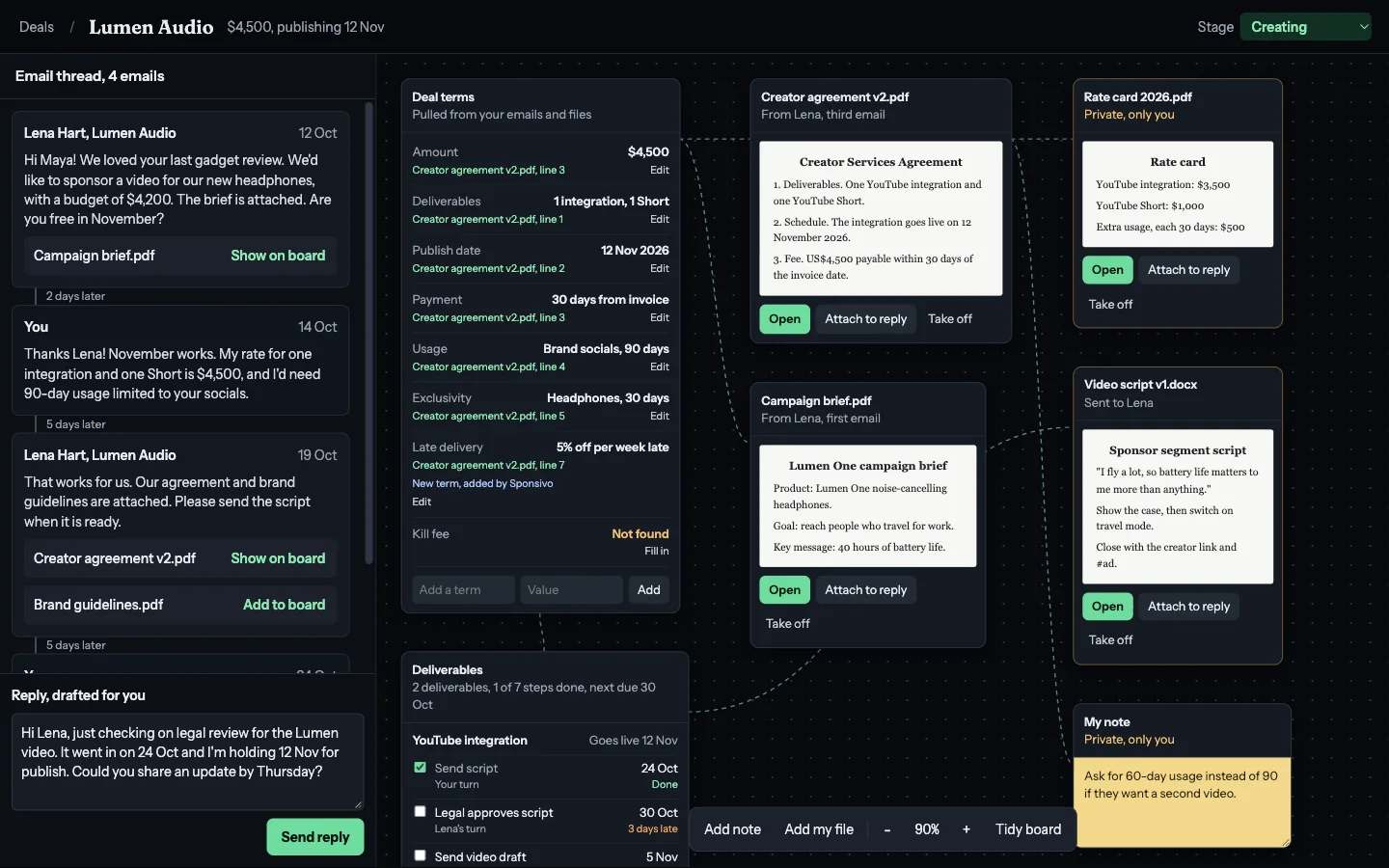
The original email thread sits on the left, with each attachment in the email it arrived in. On the right is a board you can arrange however you like, with dotted lines showing how the pieces connect.
The board holds the deal terms, the brand’s files, your own files and private notes. Your files stay private unless you attach them to a reply.
8. Open any file without downloading it
A brand might send a brief in its first email and a contract in its third. Either way, the file reaches the deal, and you open and close it right on the board.
Each deal term links to its source. Select exclusivity, and the contract opens with that line highlighted. If a contract includes a term that isn’t on the usual list, Sponsivo adds it to the deal. You can edit any term, add your own, and fill in anything marked “Not found”.
Always read the full contract yourself before you sign. Sponsivo can miss or misread terms, so use the deal terms as a guide, not a replacement for the contract.
Deliver on time
Once the deal is agreed, the question becomes what’s due and who has it.
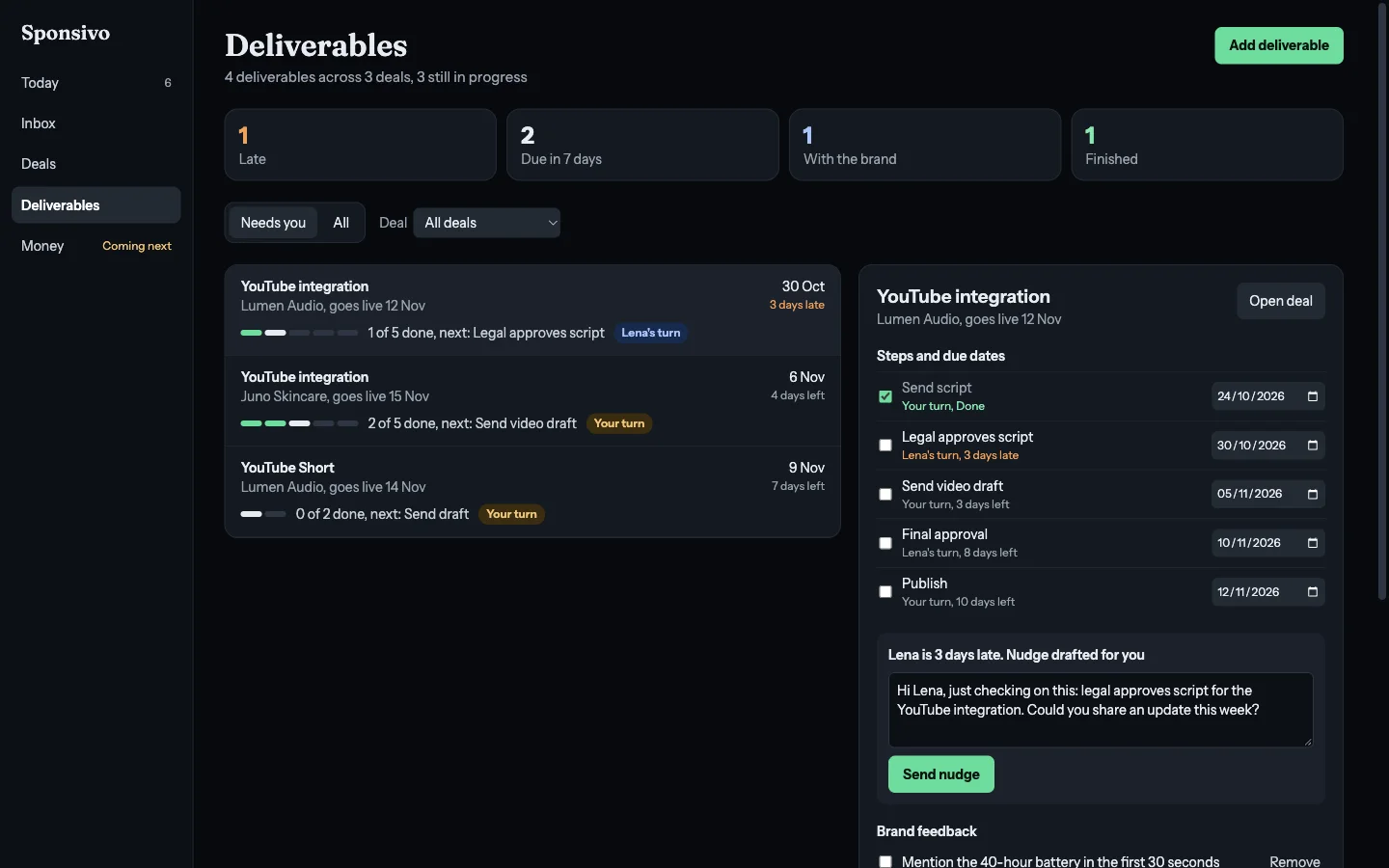
9. Track every deliverable
Each deliverable has its own steps and due dates, and shows whose turn it is. You can see what’s late, what’s due in the next seven days, what’s with the brand and what’s finished.
Brand feedback becomes a checklist, the files are one click away, and a timeline records what happened.
10. Follow up when a brand goes quiet
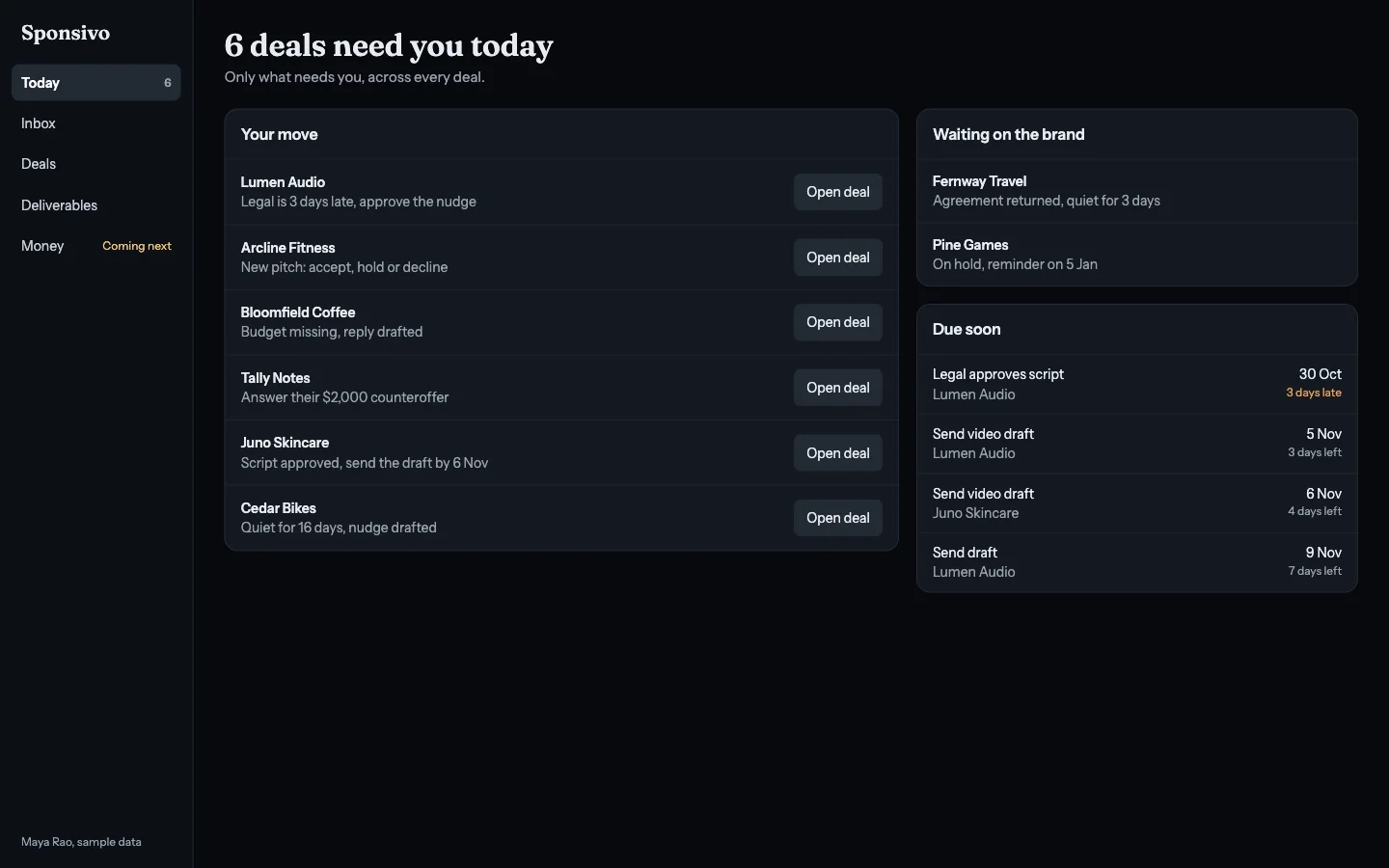
When a step passes its due date or a brand hasn’t replied for a while, Sponsivo flags it and drafts a nudge for you to approve. Your Today page shows only the deals that need you, the ones waiting on a brand and what’s due soon.
11. Publish and wrap up
When the content is live, tick off the final step and move the deal to Wrapping up. Its emails, files and terms all stay together.
Coming next
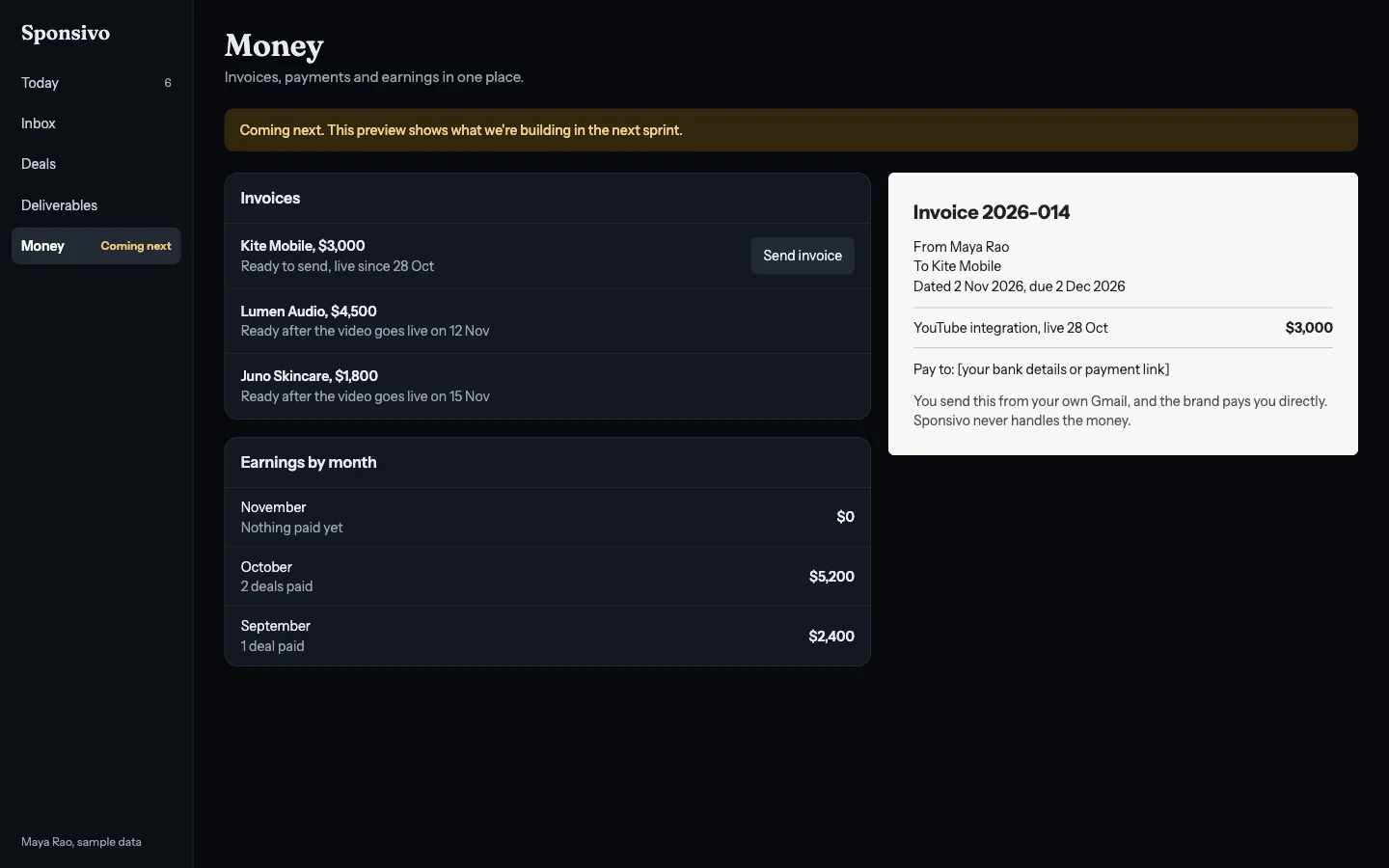
Invoices, payments and earnings
We’re building this next. You’ll create an invoice from the deal and send it from your own Gmail, with your own bank details or payment link. You’ll also track what’s been paid and see your earnings by month.
Brands pay you directly, and Sponsivo never handles your money.
Common questions
What is Sponsivo?
Sponsivo is a tool for content creators to manage brand sponsorships. It finds sponsor emails in Gmail, turns them into deals, keeps contracts and files together, and tracks deliverables.
Does Sponsivo send emails on my behalf?
Only when you approve them. Sponsivo drafts replies and follow-ups, and you decide what gets sent.
Do I have to stop using Gmail?
No. You keep your address, and brands keep emailing you as usual.
Can Sponsivo read a contract that arrives later in a thread?
Yes. A file can arrive in any email, and it still reaches the deal. Deal terms link back to the line they came from.
What if Sponsivo misses a term?
You can fill it in by hand, edit any term, or add your own. Sponsivo can miss or misread terms, so always read the full contract yourself before you sign.
Does Sponsivo give legal advice?
No. It shows the terms it finds and where they came from. Read the full contract yourself before you sign, and speak to a lawyer if you need legal advice.
Does Sponsivo handle my payments?
No. Brands pay you directly. Invoicing and payment tracking are coming next, and they will use your own bank details or payment link.
How can I try Sponsivo?
Sponsivo is in early access. Join the waitlist, or email [email protected] to ask for a demo.
Sponsivo is in early access. Join the waitlist, or email [email protected] to ask for a demo. Get early access